
Gallery
Real-world implementations of AI UX patterns from popular products
27 items
 Google
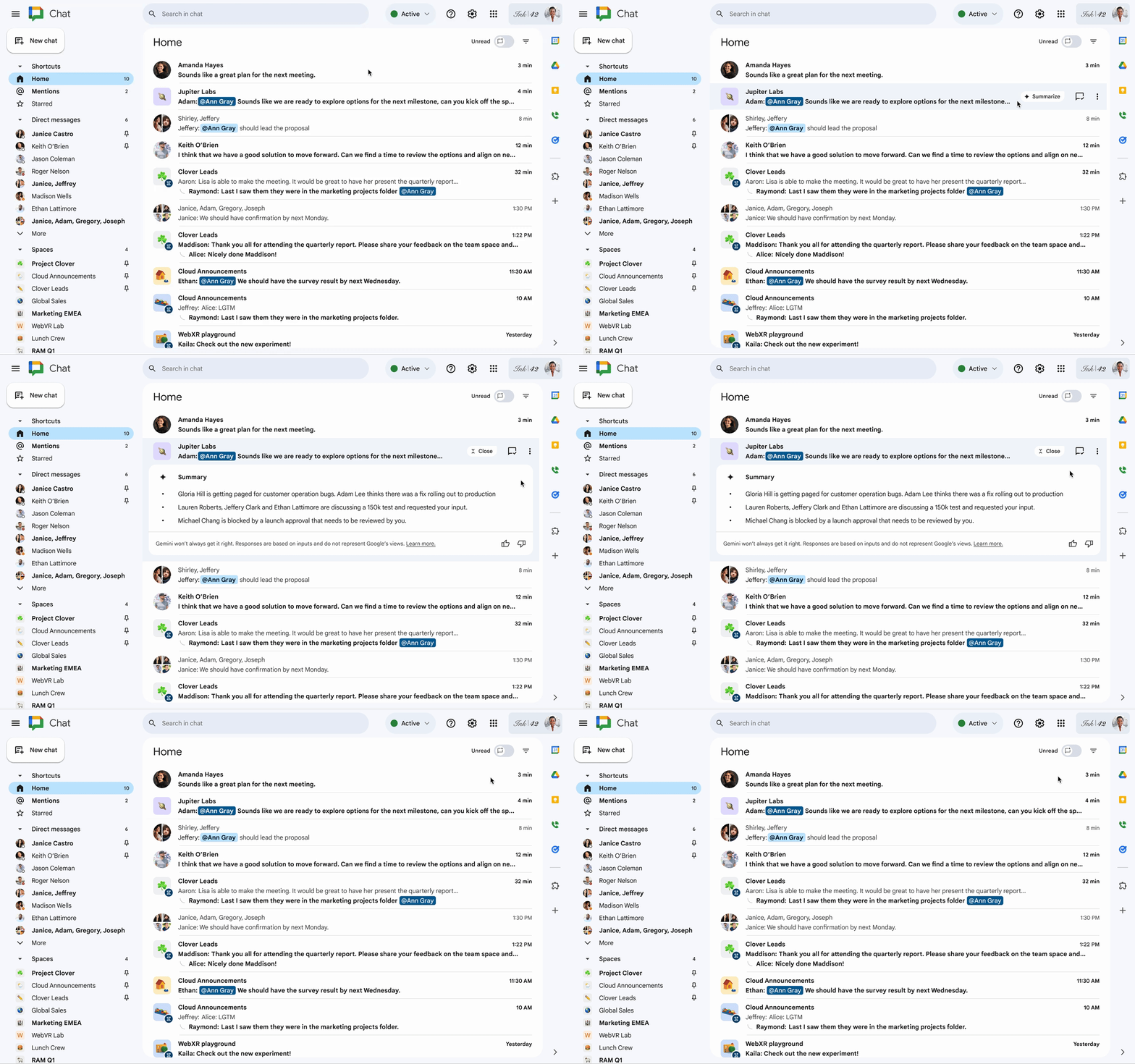
Conversation Summaries in Spaces
Google Chat shows an AI-generated summary card for unread messages in Spaces so users can quickly catch up on the key topics.
 Claude
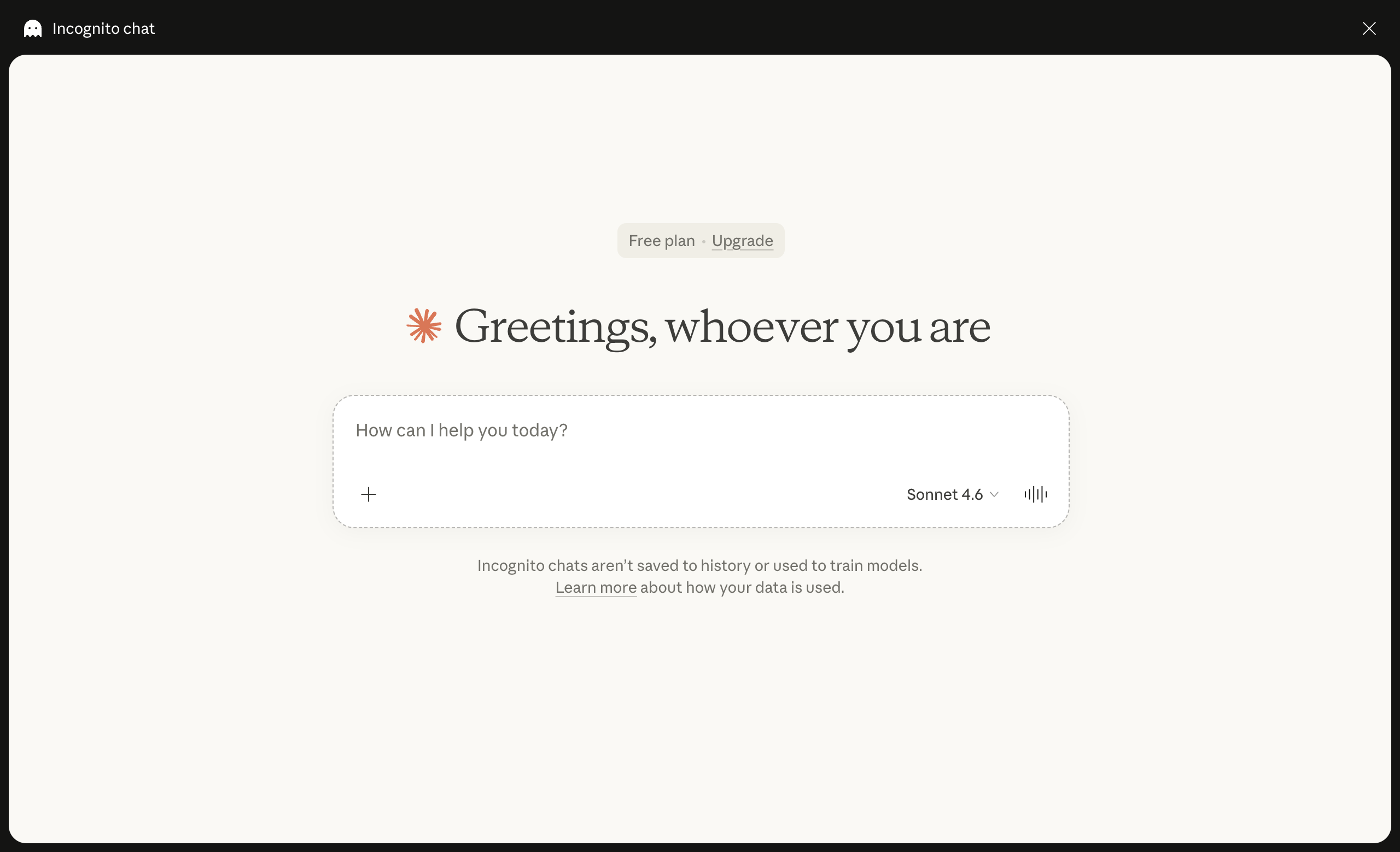
Incognito Mode
Claude offers an incognito (private) mode that lets users have conversations without saving them to history or using them to improve the model. The mode is toggled via a ghost icon in the header.
 Perplexity
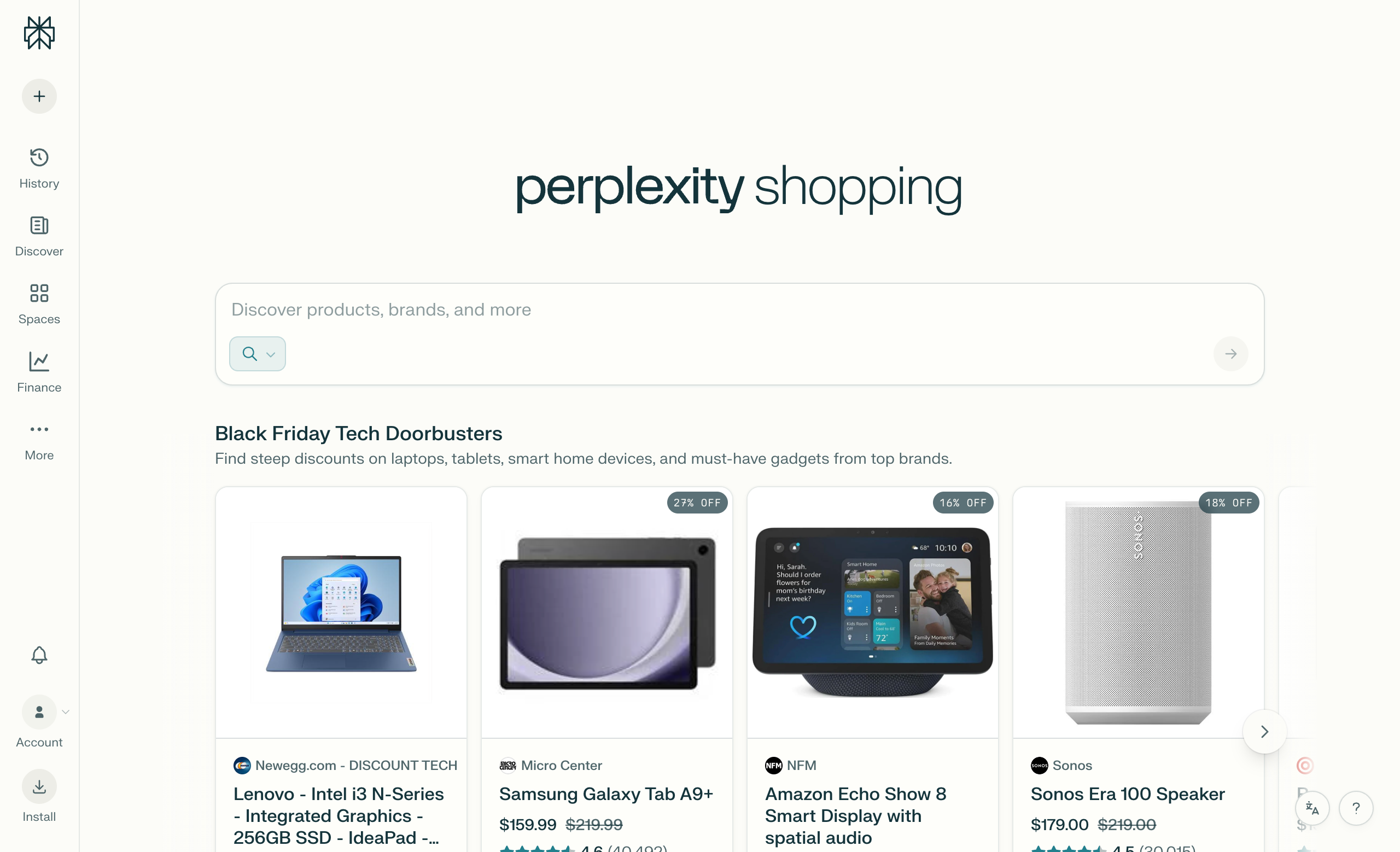
Shopping Tab & Instant Buy
Perplexity features a dedicated Shopping tab with a discovery feed of recommended products, displaying curated product cards with images, prices, ratings, and one-click purchase options.
 ChatGPT
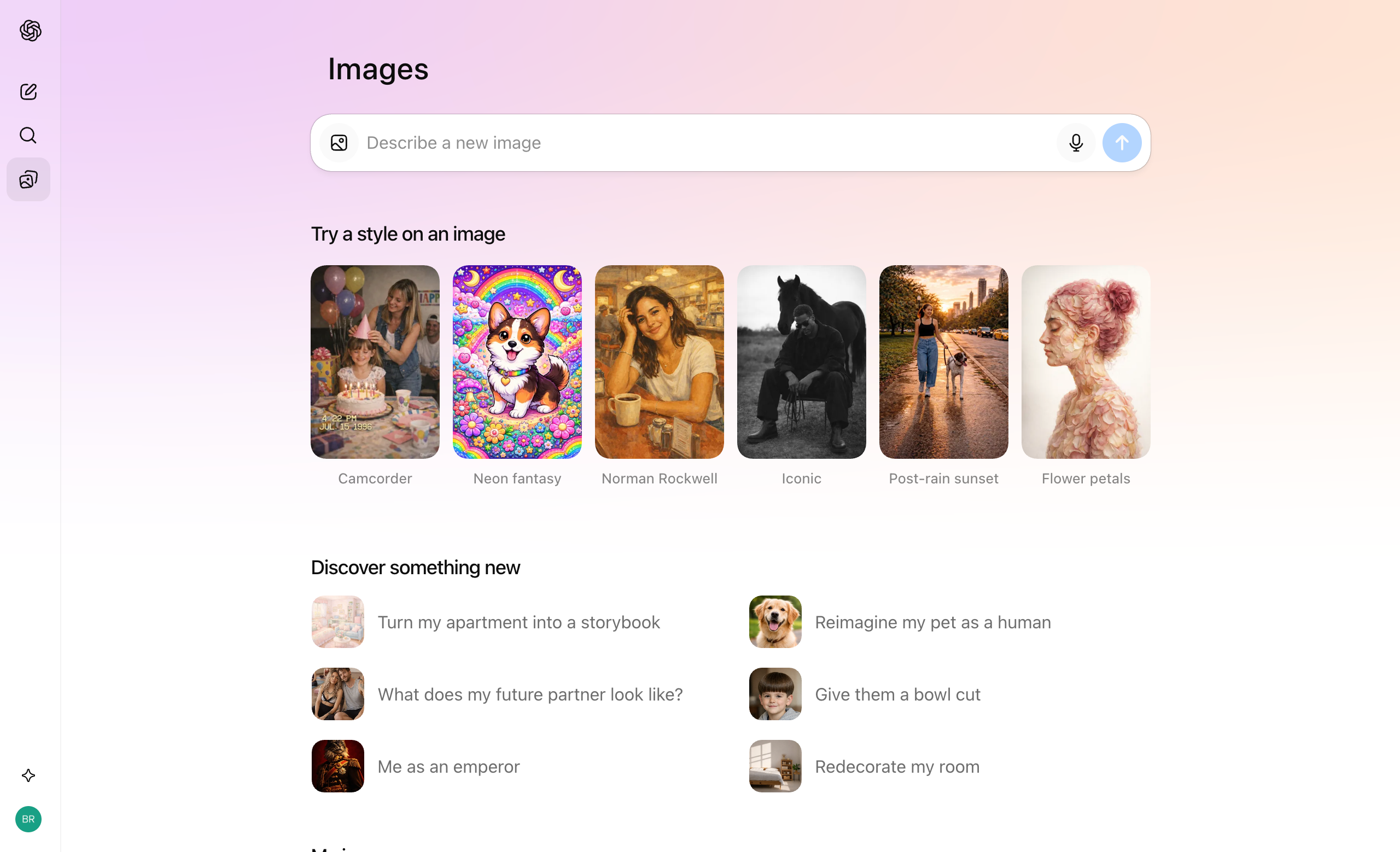
Image Generation
ChatGPT's image generation feature allows users to create images using DALL·E directly within the conversation interface, with tool selection, prompt input, and result display integrated seamlessly.
 ChatGPT
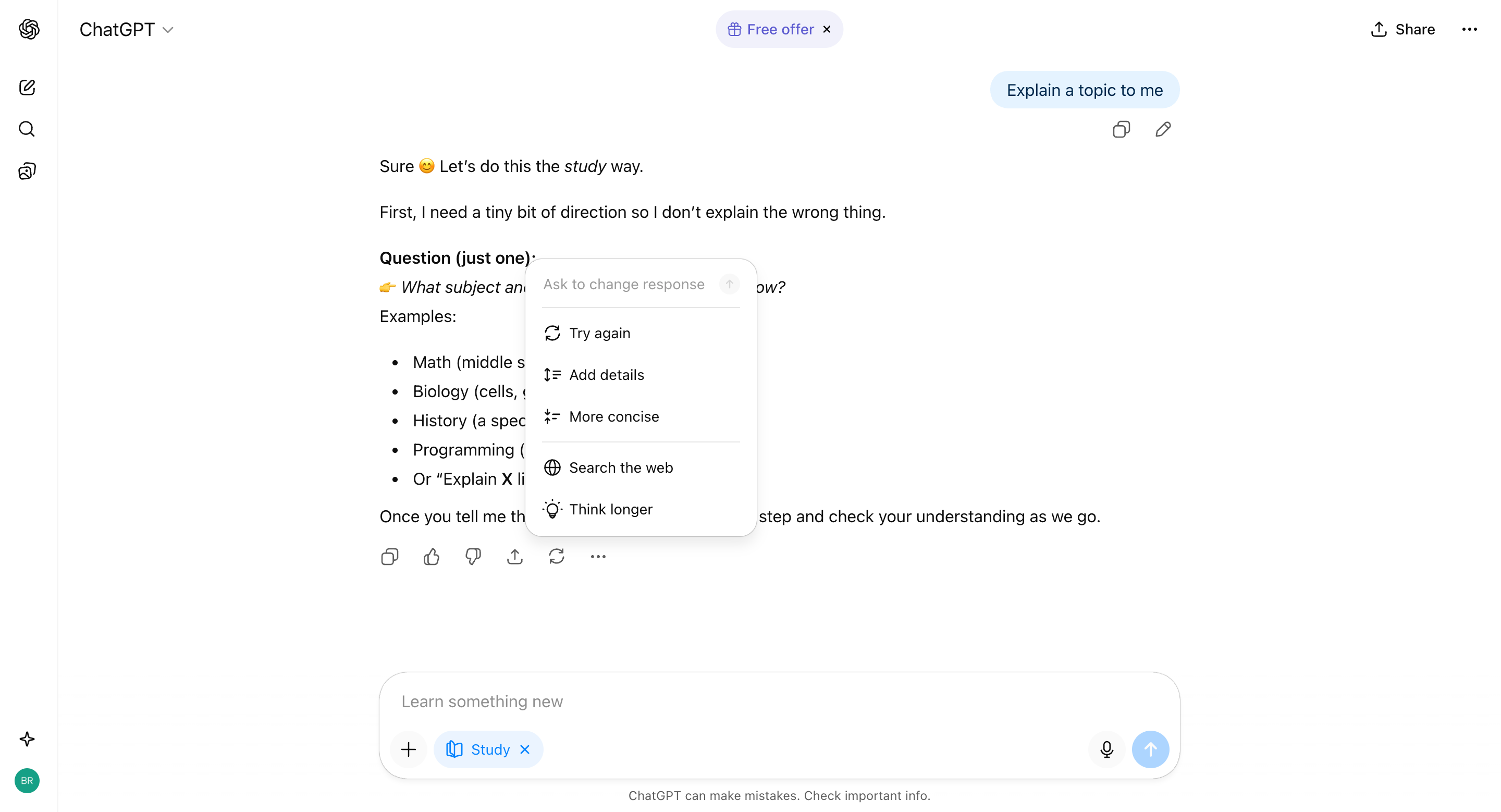
Response Refinement
ChatGPT provides a contextual menu on AI responses that allows users to refine or modify the output with specific instructions like "Try again", "Add details", "More concise", "Search the web", or "Think longer" without retyping their prompt.
 ChatGPT
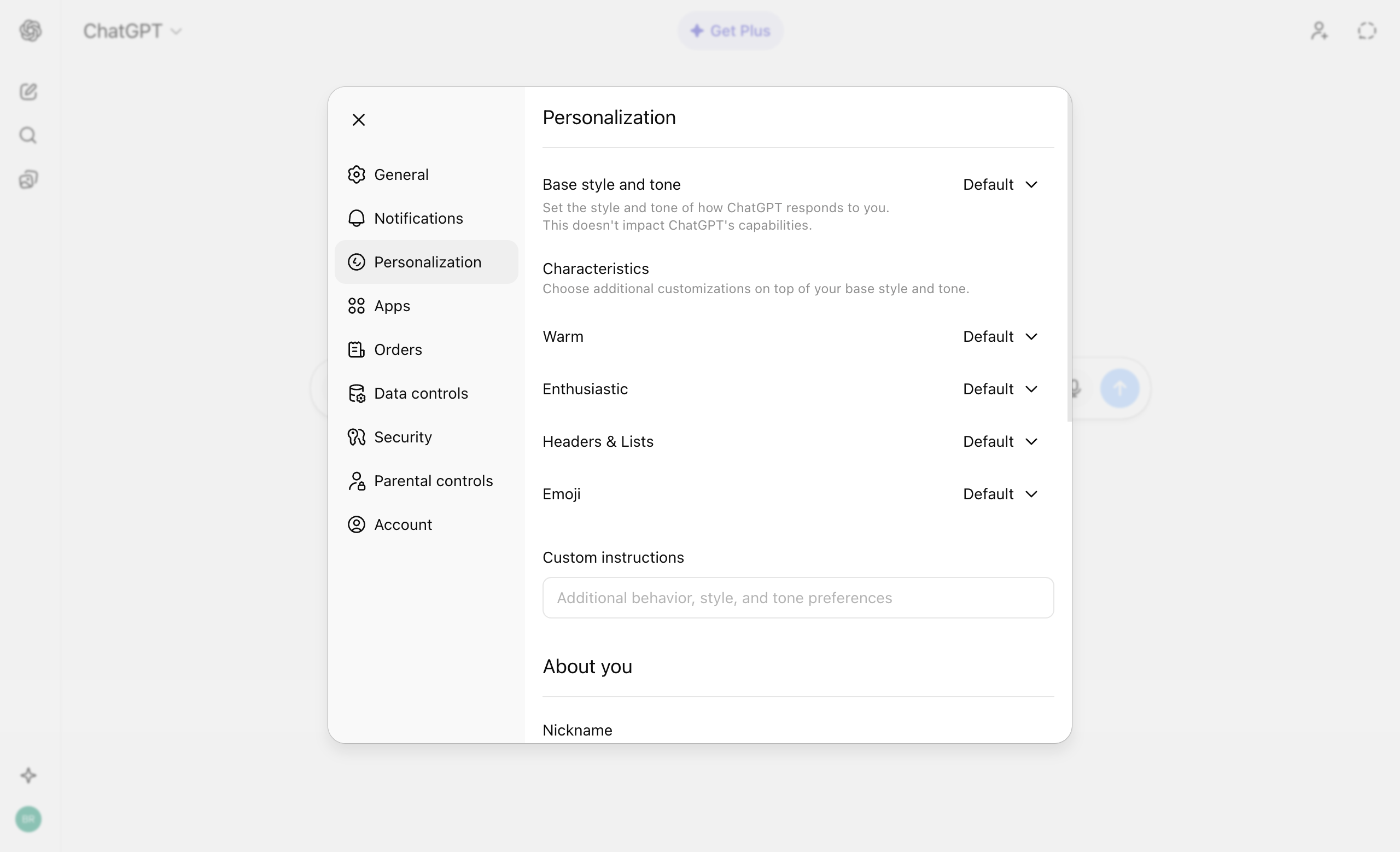
Personalization
ChatGPT provides a dedicated Personalization interface that allows users to customize how the AI behaves, including conversation style, response format, and contextual preferences, separate from technical settings.
 Grok
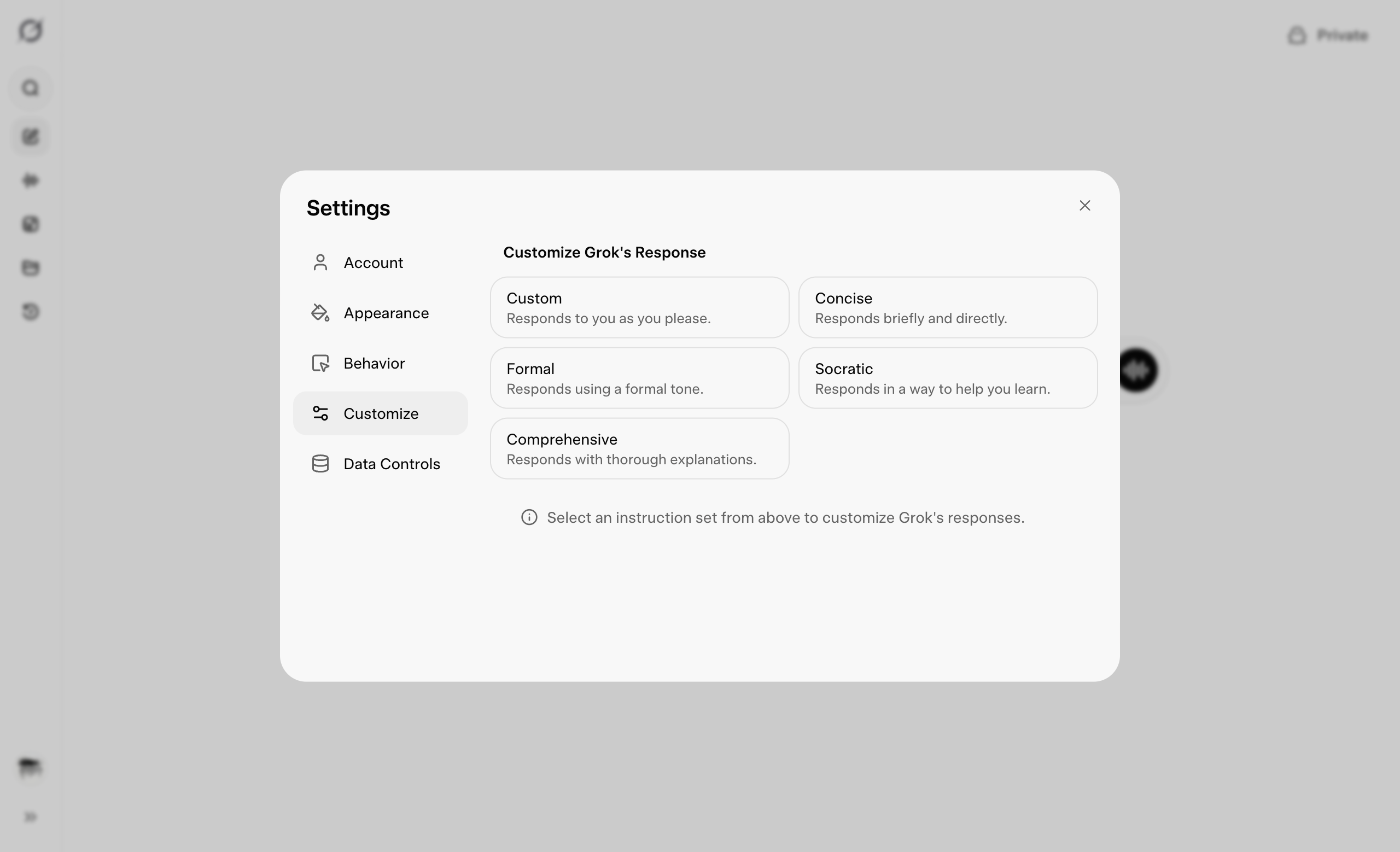
GrokPersonalization
Grok provides personalization settings that allow users to customize their AI experience, including conversation preferences, response style, and contextual behavior settings.
 Notion AI
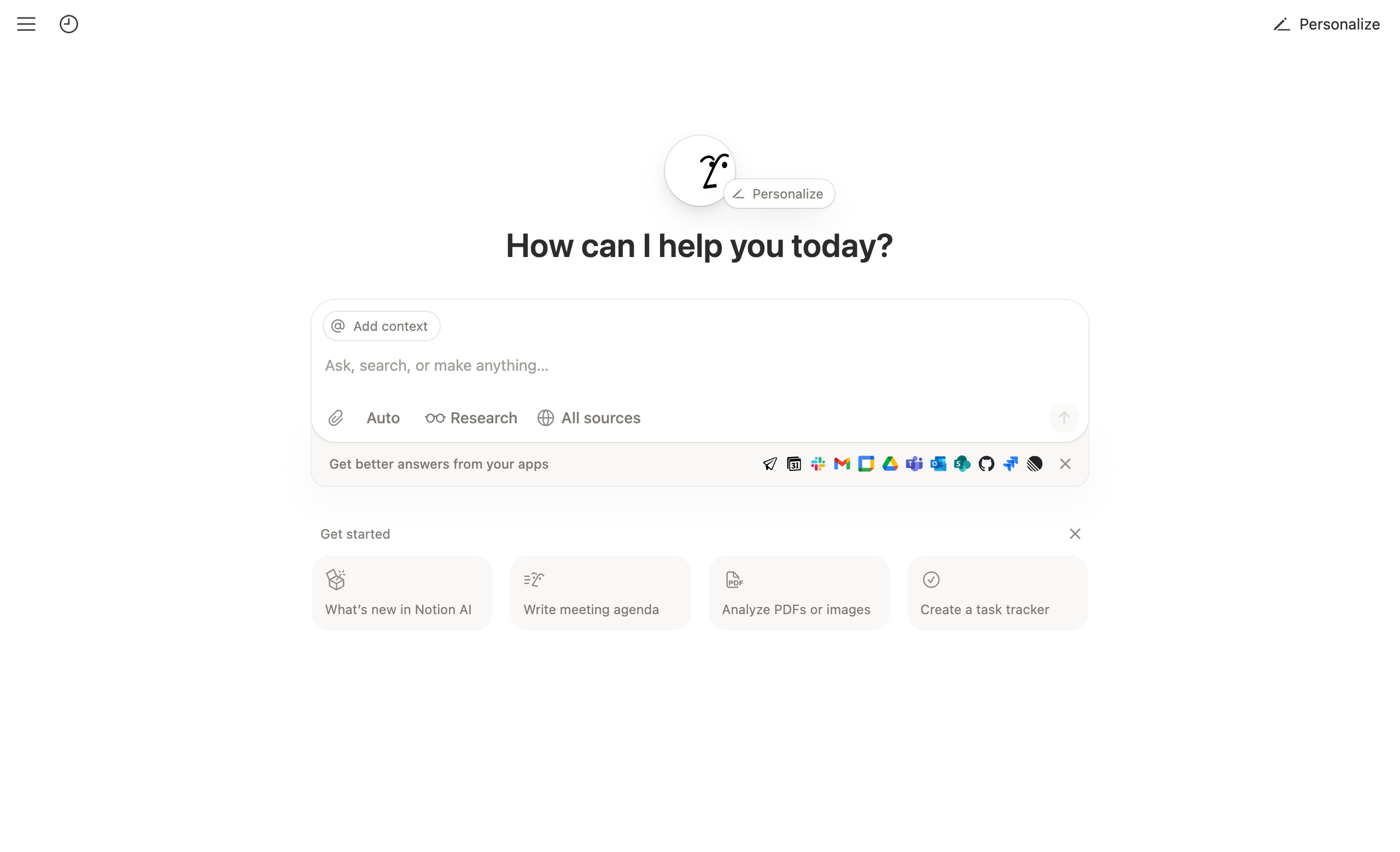
Prompt Starter Examples
Notion AI displays categorized prompt starter examples that help users discover AI capabilities and get started with common writing, editing, and content creation tasks directly within the editor.
.png) ChatGPT
ChatGPTDictation Mode
ChatGPT's dictation mode allows users to speak naturally and have their speech converted to text in real-time, enabling hands-free interaction with the AI.
 ChatGPT
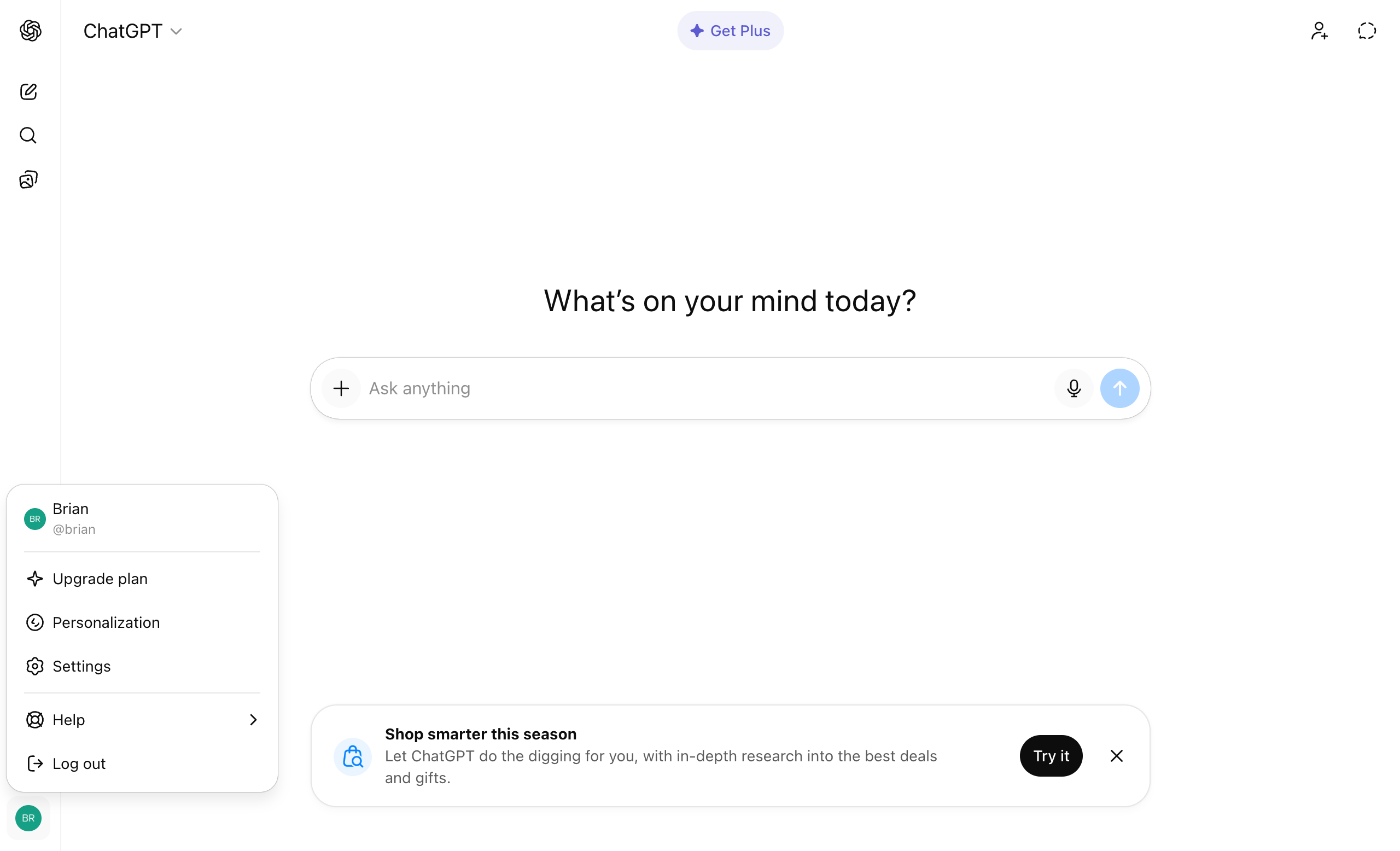
Settings
ChatGPT presents settings through a centered modal interface with extensive controls for appearance, voice customization, data management, and parental controls, emphasizing both personalization and safety features.
.png) ChatGPT
ChatGPTTool Switching in Composer
ChatGPT allows users to select and activate different AI capabilities like Code Interpreter, DALL·E, and Web Search directly from the composer interface.
.png) Claude
ClaudeContext Chip Management
Claude allows users to attach files, images, and other context sources to conversations, displayed as removable chips.
 Claude
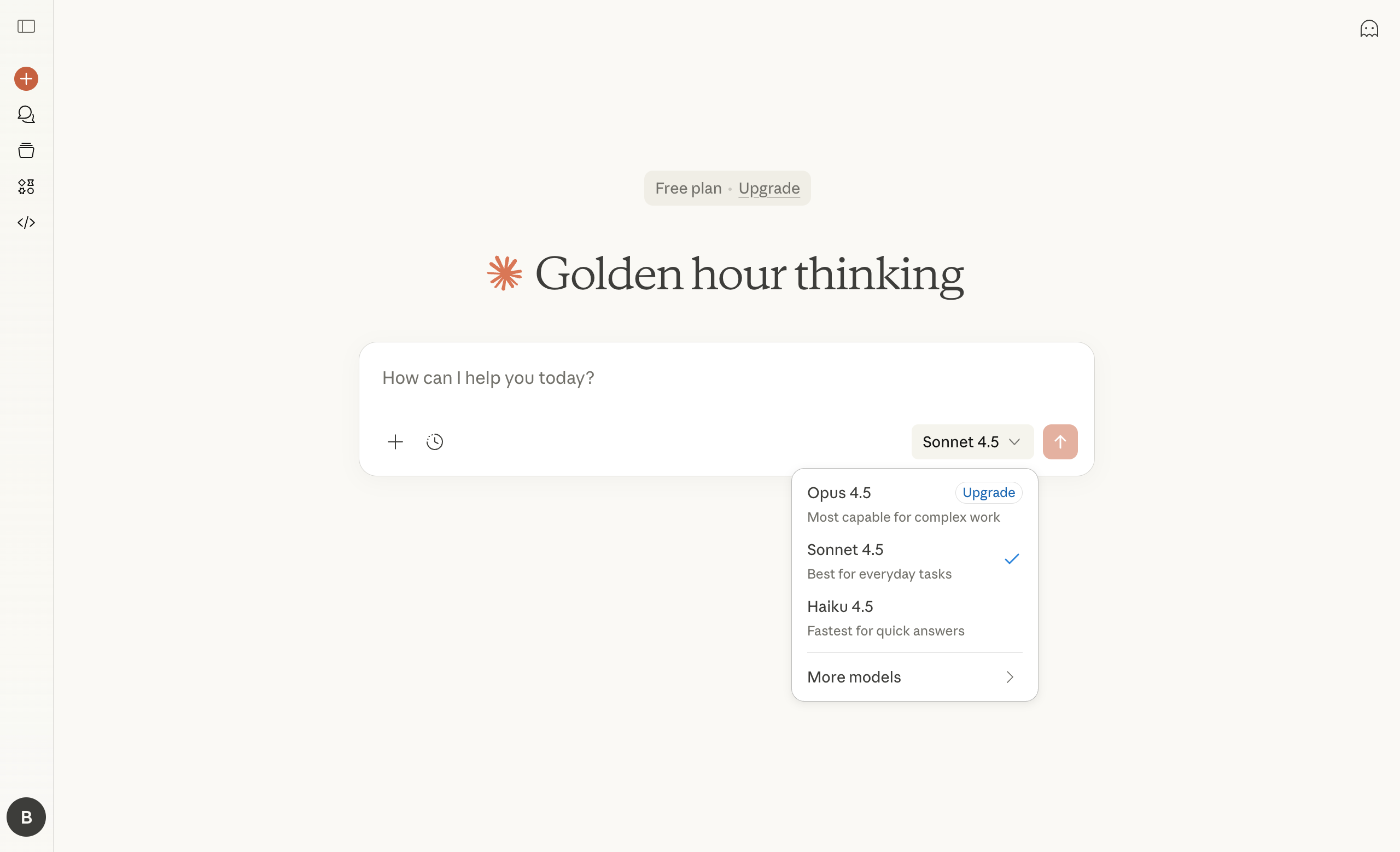
Model Switcher with Hierarchy
Claude implements a tiered model selection system that balances simplicity with power user needs. The main dropdown presents three current models with clear use-case descriptions, while a "More models" submenu provides access to legacy versions.
 Claude
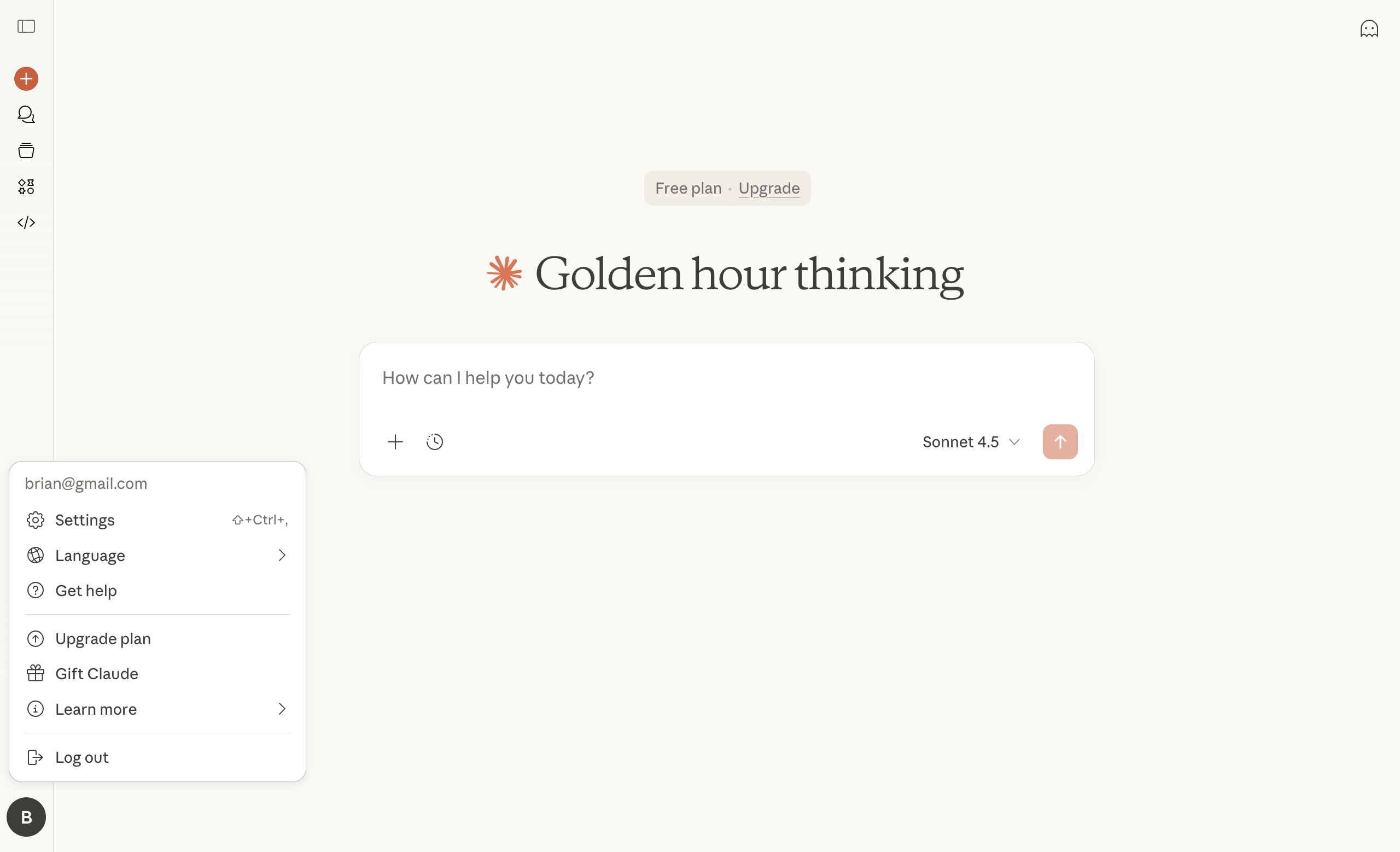
Settings
Claude offers a comprehensive settings interface with a strong focus on AI personalization, allowing users to customize their profile, work context, personal preferences, appearance (including dyslexic-friendly fonts), and notification controls.
 Claude
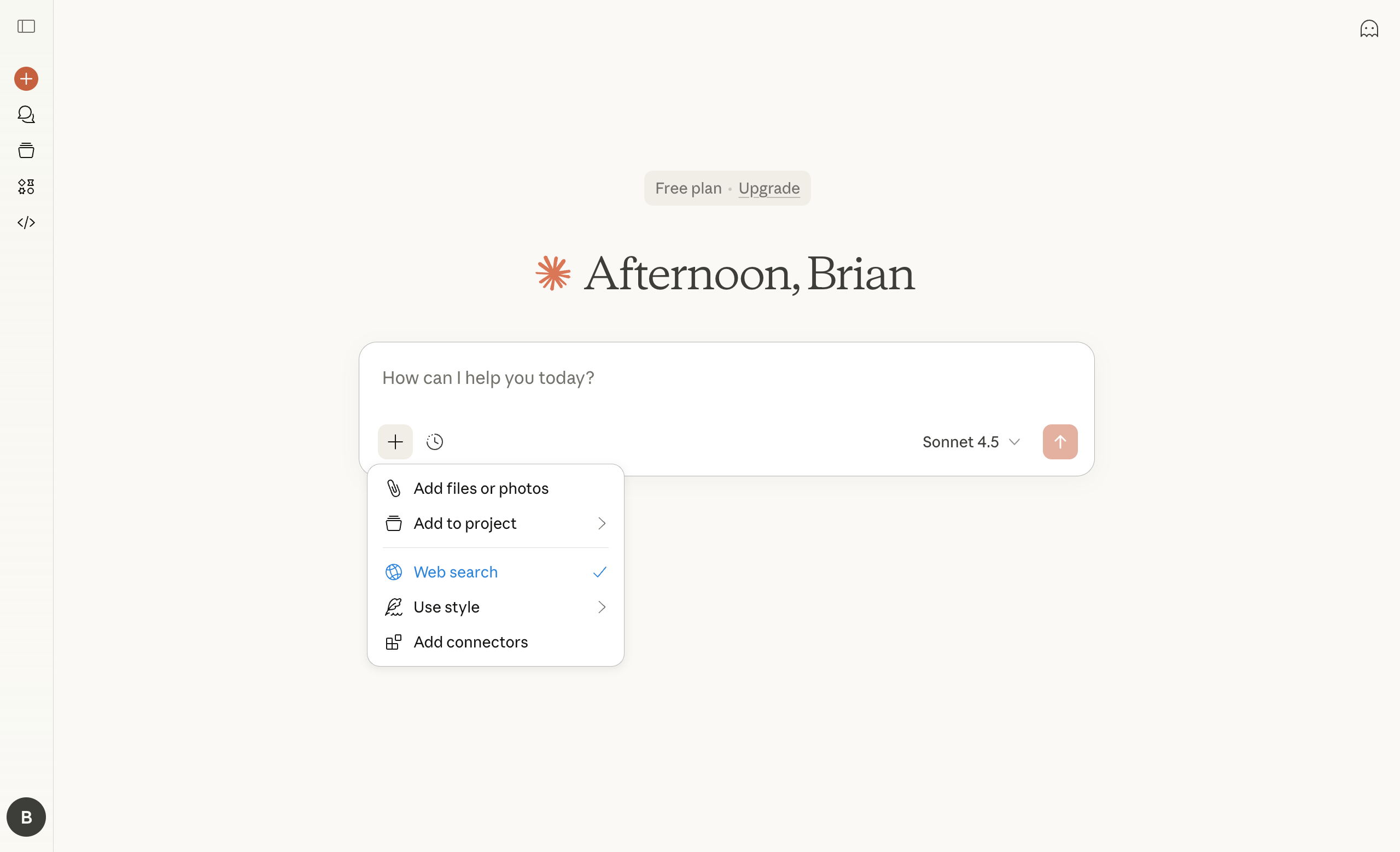
Tool Switching in Composer
Claude allows users to select and activate different AI capabilities like Code Interpreter, Web Search, and file analysis directly from the composer interface.
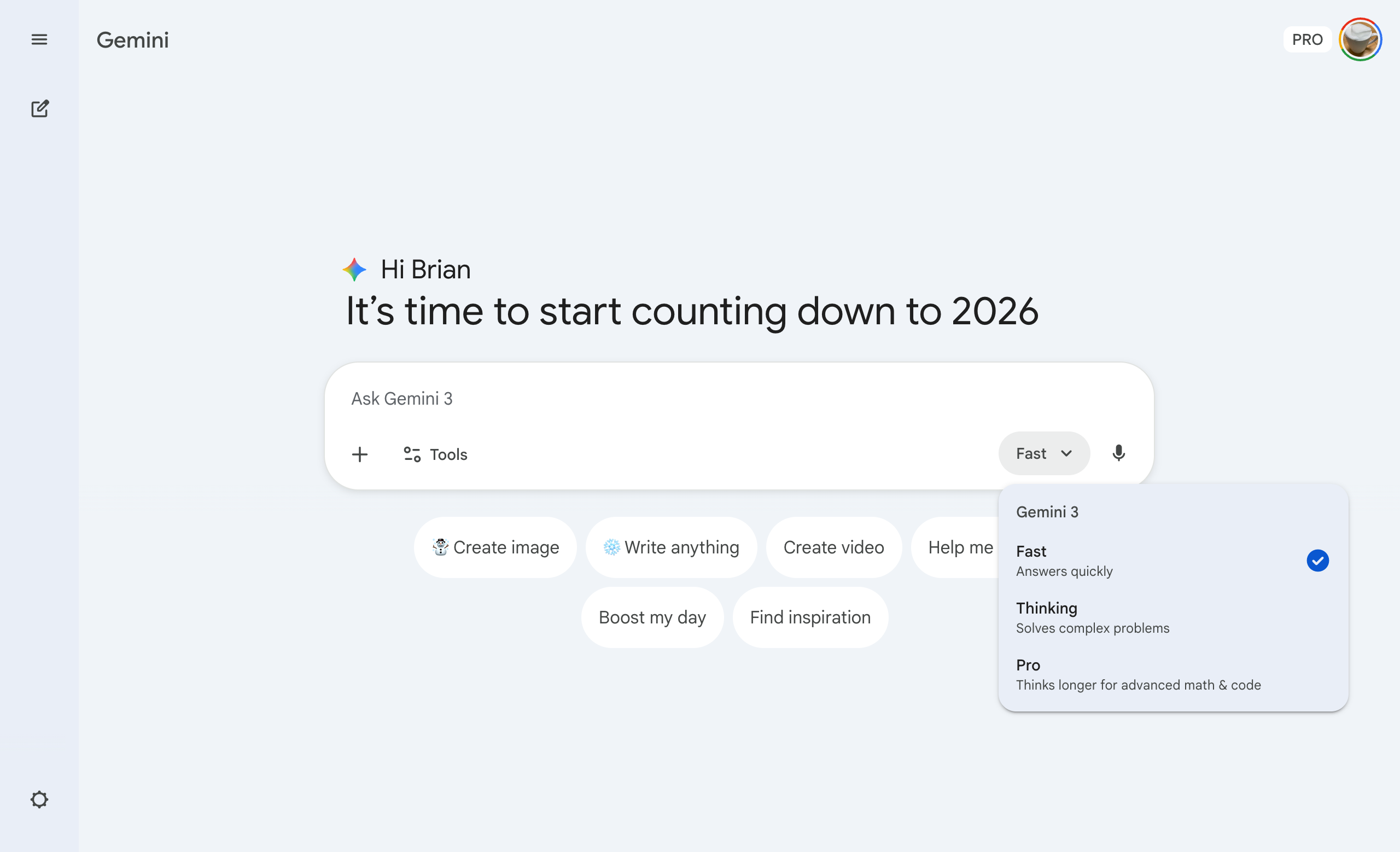
 Google Gemini
Mode-Based Selection
Gemini reframes model selection as "mode" selection, presenting users with three performance tiers, Fast, Thinking, and Pro, each optimized for different task types and response complexity.
.png) Google Gemini
Google GeminiMultimodal Input
Gemini supports multiple input types including text, images, and files in a unified composer interface, allowing users to attach and interact with various content types simultaneously.
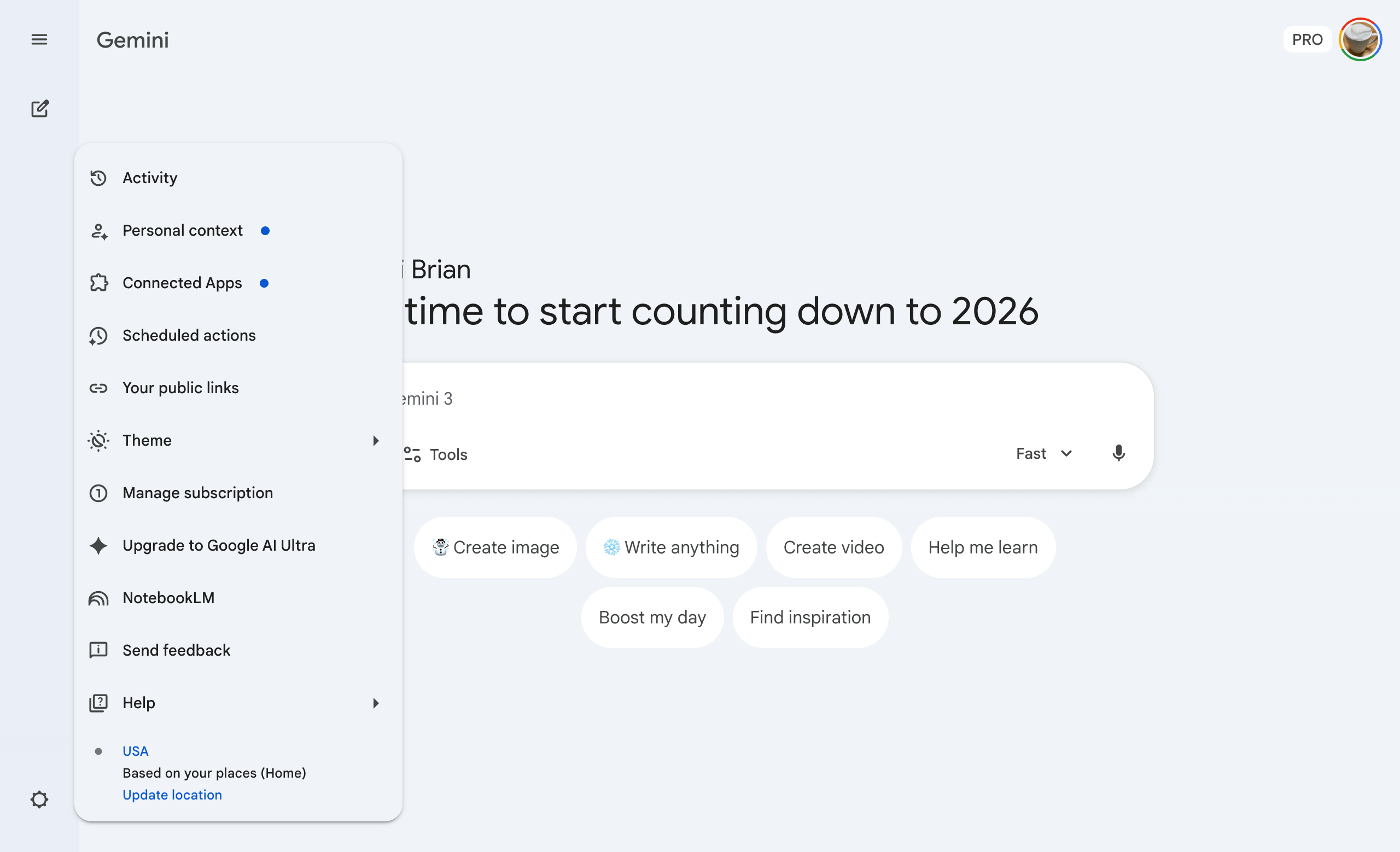 Google Gemini
Settings
Gemini presents settings as a left sidebar menu with categories for activity tracking, personal context, connected apps, scheduling, theming, subscription management, and ecosystem integrations like NotebookLM.
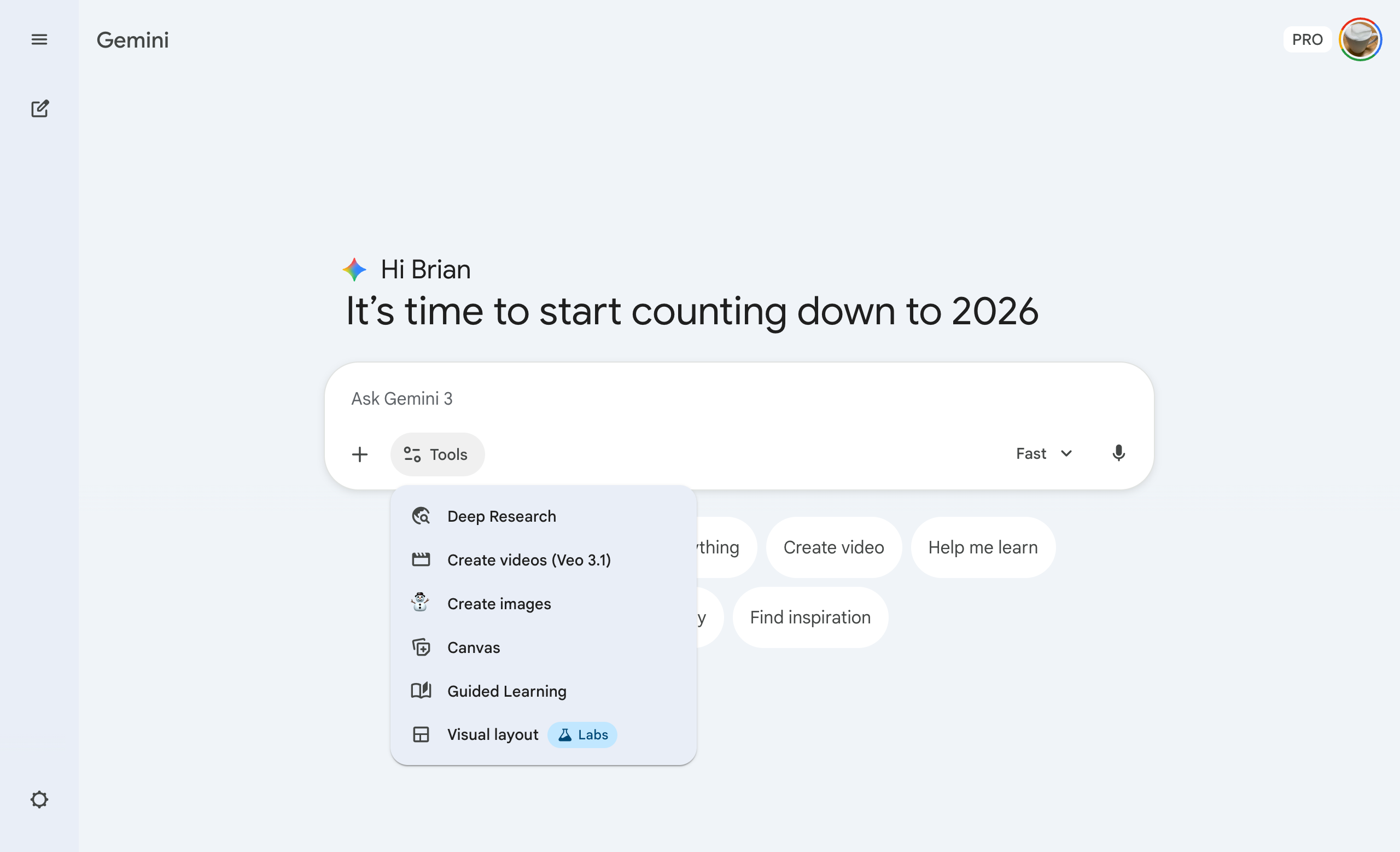 Google Gemini
Tool Switching in Composer
Gemini allows users to select and activate different AI capabilities and extensions like Google Workspace, YouTube, and Maps directly from the composer interface.
.png) Grok
GrokModel Selection
Grok offers intuitive model selection with Auto mode that intelligently chooses between Fast and Expert models, plus additional specialized models including Grok 4.1 Thinking, Heavy, and premium SuperGrok.
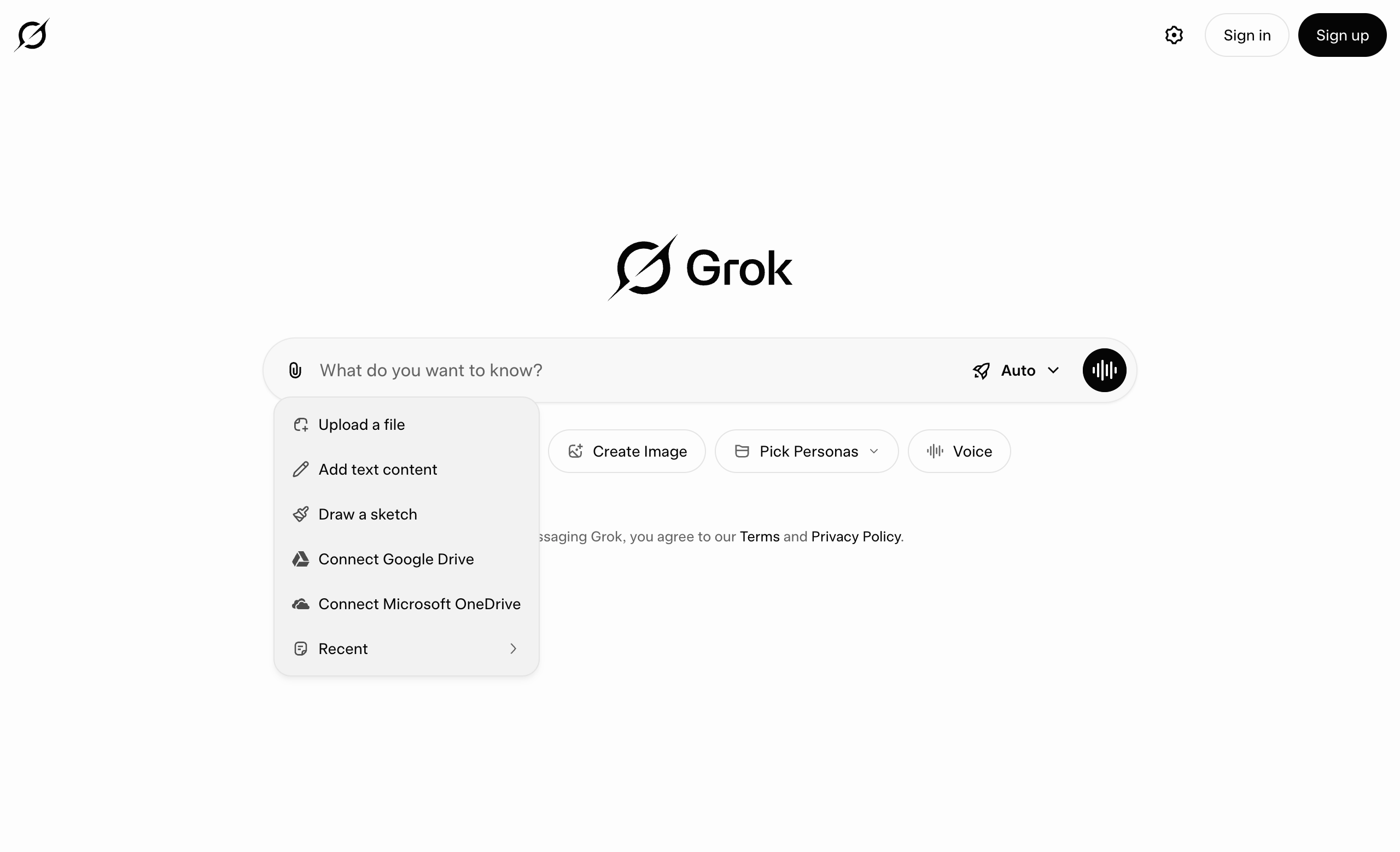 Grok
GrokMultimodal Input
Grok provides comprehensive multimodal input options through a paperclip menu, offering file upload, text content, sketching, cloud storage integration, and voice input capabilities.
 Grok
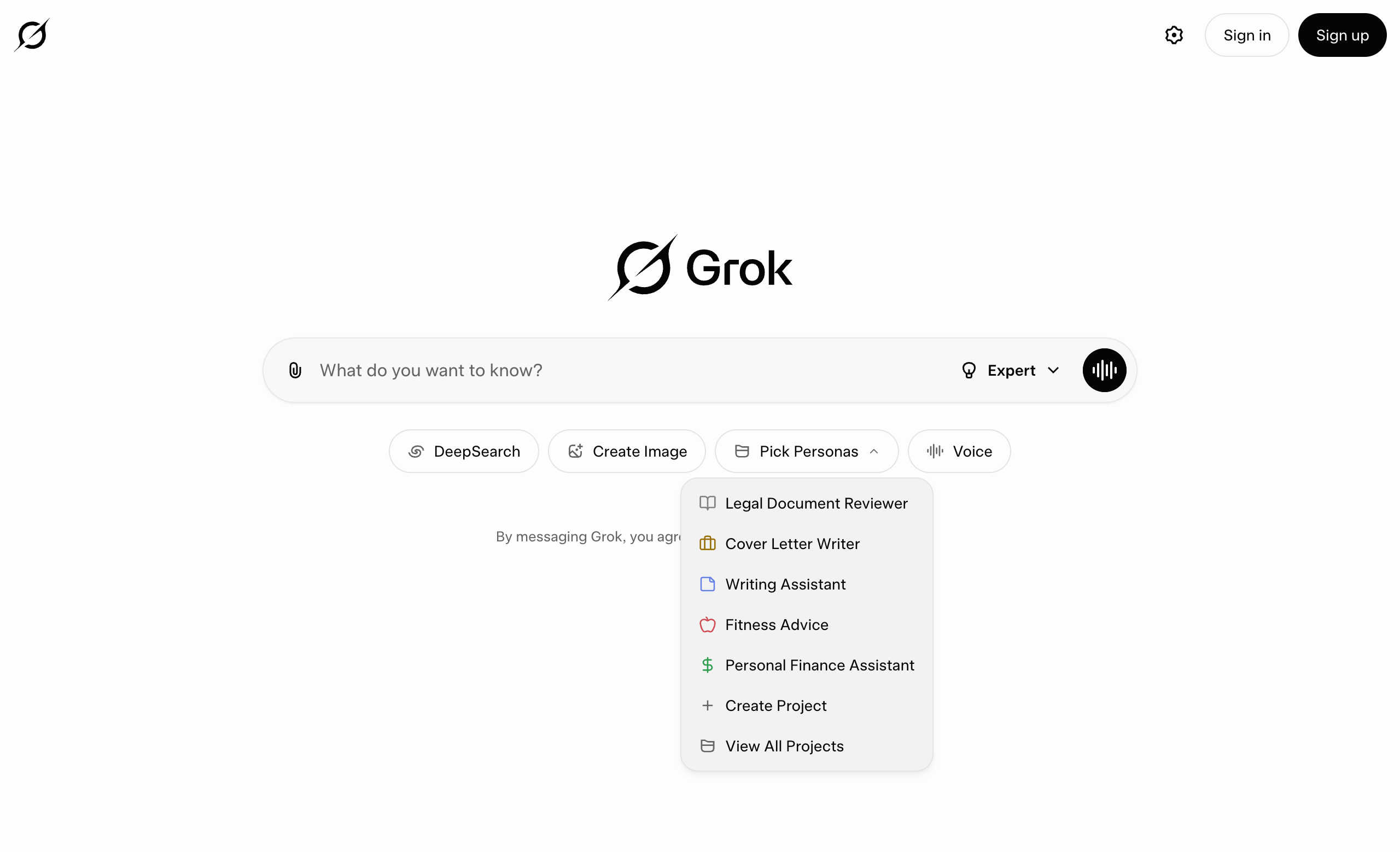
GrokPersona Switcher
Grok offers project-based personas with specialized instructions and contextual prompts, including Legal Document Reviewer, Cover Letter Writer, Writing Assistant, Fitness Advice, Personal Finance Assistant, and the ability to create custom projects.
.png) Grok
GrokTool Switching in Composer
Grok displays active tools as dismissible chips above the composer, allowing users to activate capabilities like DeepSearch and see them clearly indicated with the ability to remove them with an X button.
 Perplexity
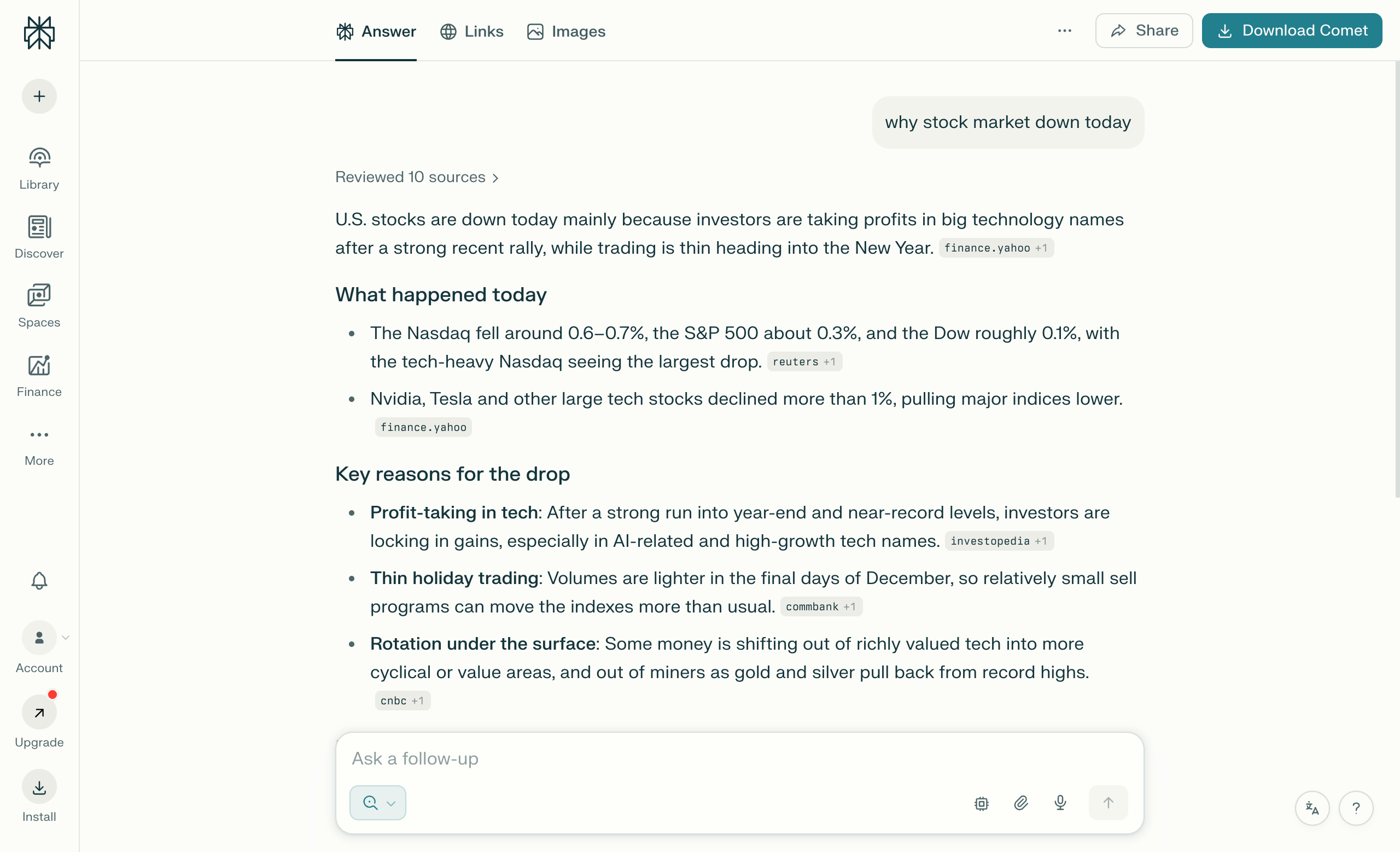
Citations
Perplexity displays inline citations in responses that connect users to original sources, providing transparency and verification through hover, click, and expanded views.
 Perplexity
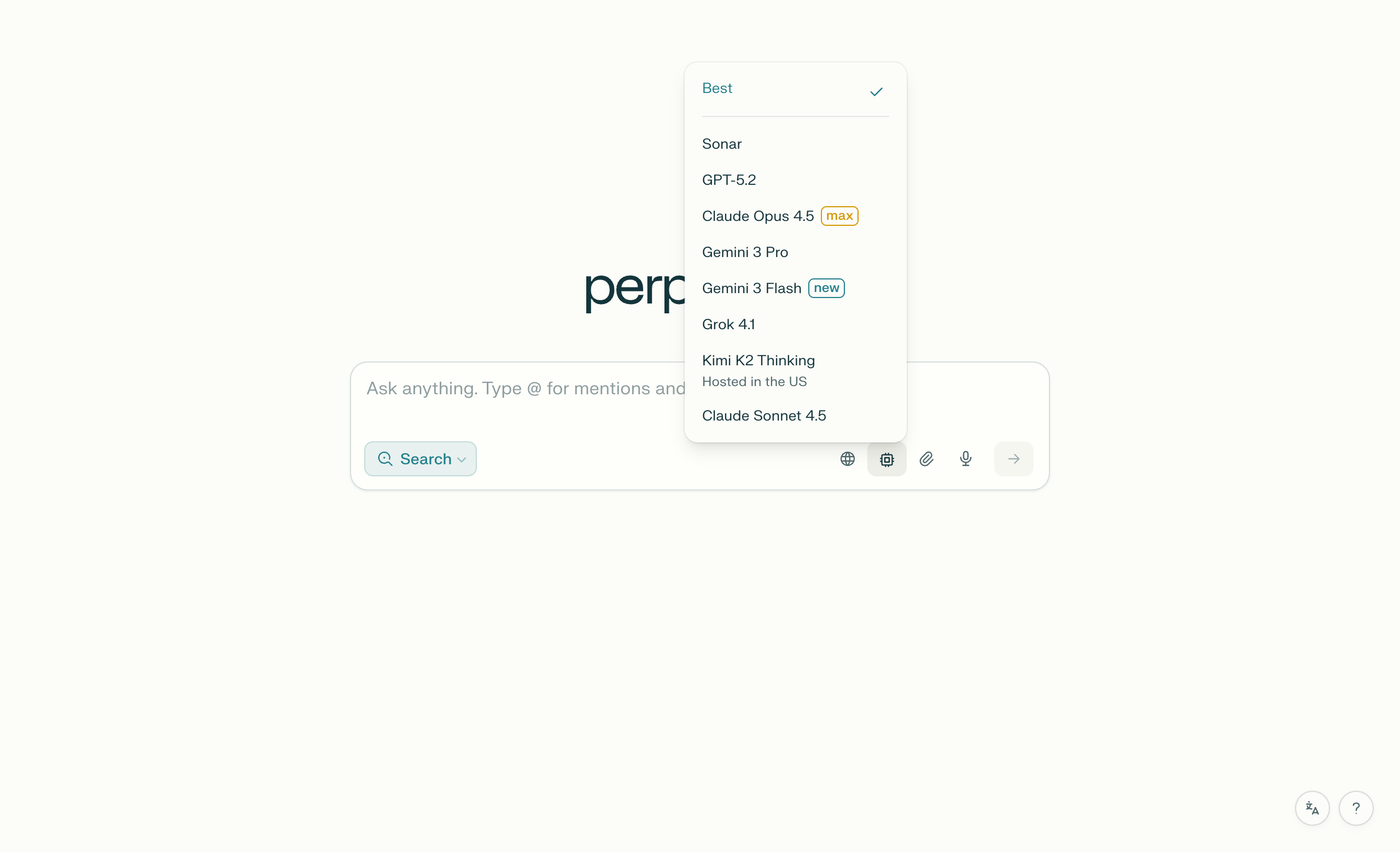
Model Selection Dropdown
Perplexity offers a comprehensive model switcher directly in the composer, displaying a wide array of AI models including GPT-5.2, Claude Opus 4.5, Gemini 3 Pro/Flash, Grok 4.1, and proprietary Sonar models.
 Perplexity
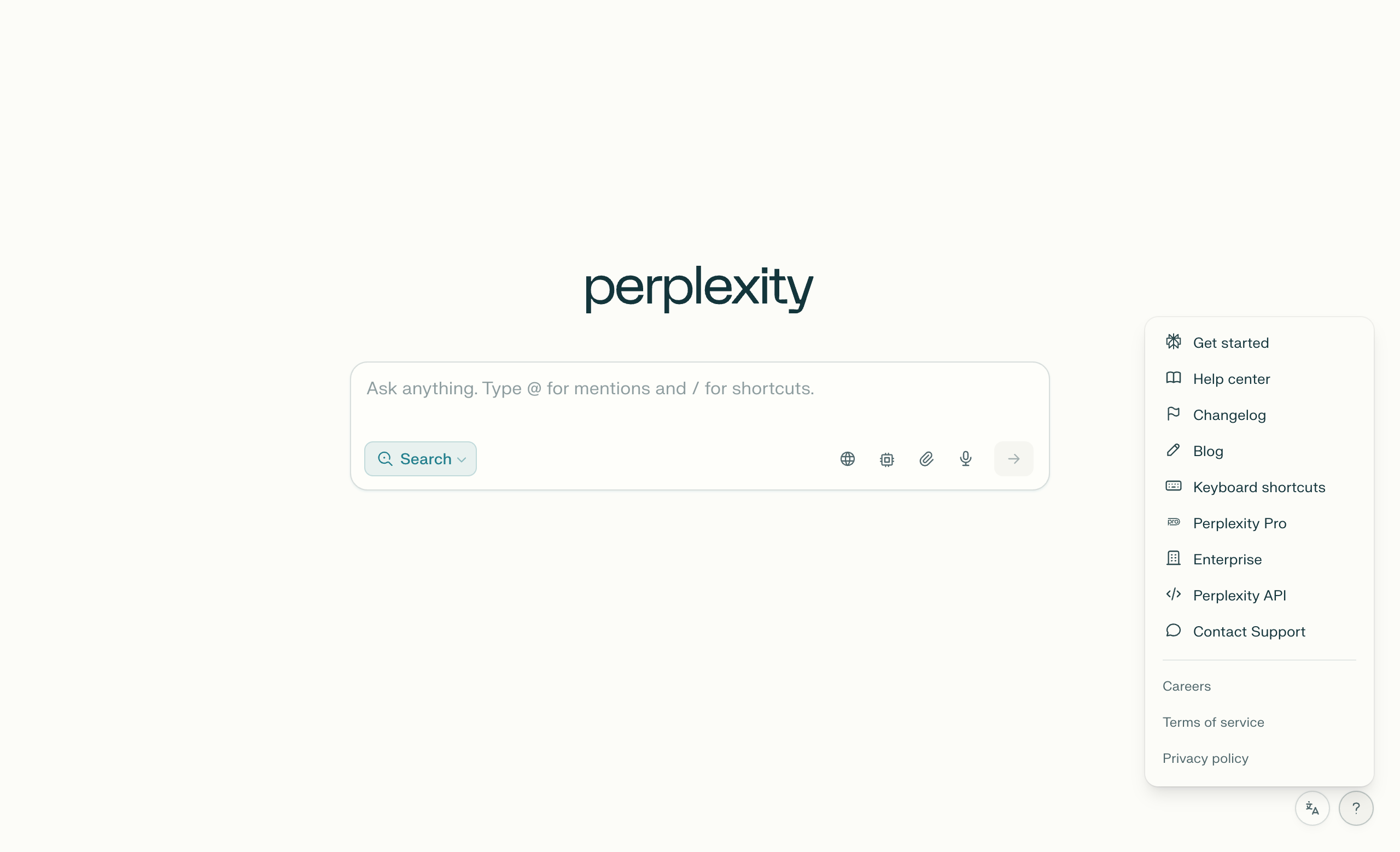
Settings
Perplexity presents settings and help resources through a right-aligned dropdown menu that emphasizes onboarding, documentation, and support over traditional settings controls.
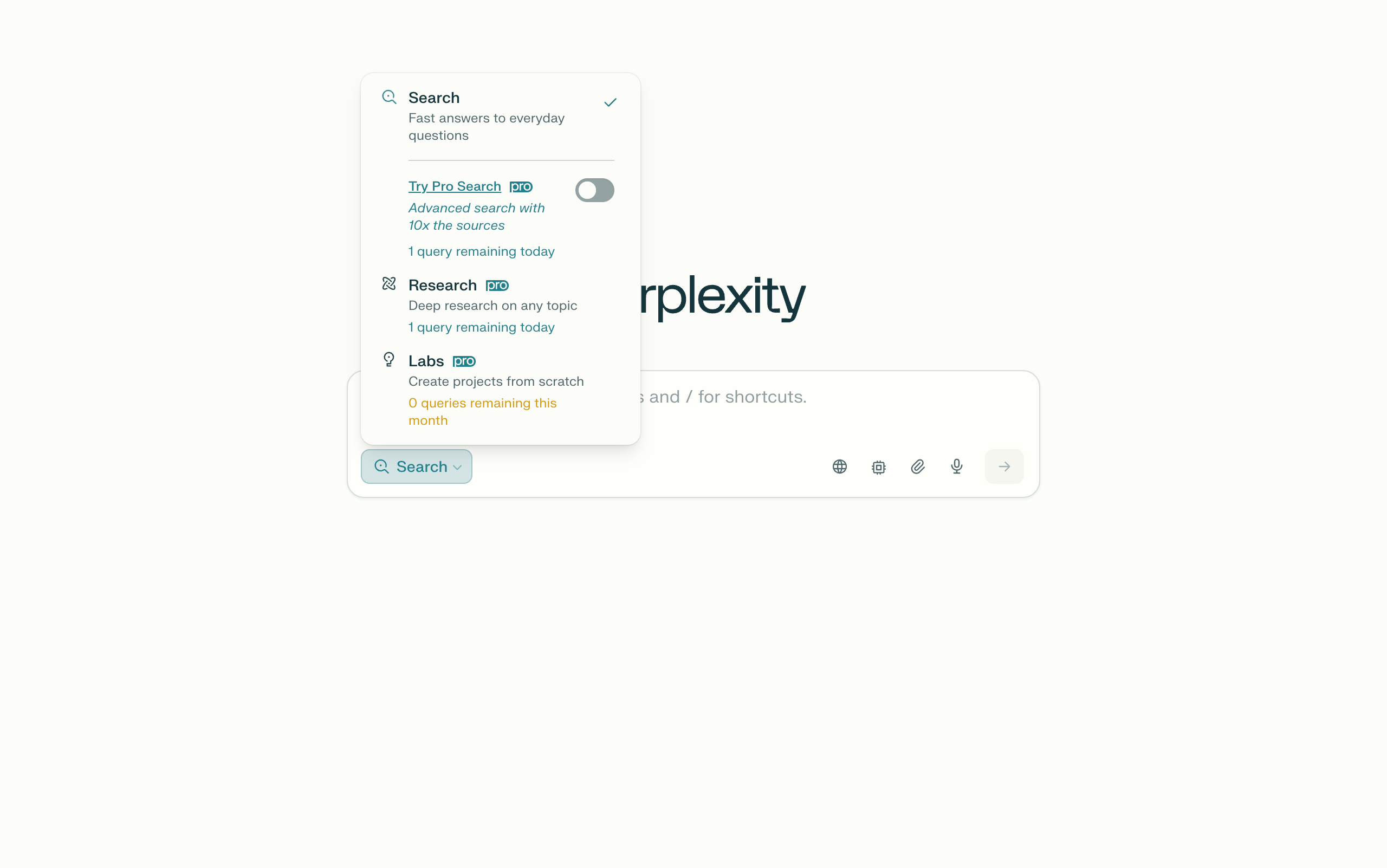 Perplexity
Tool Switching in Composer
Perplexity allows users to select and activate different AI capabilities and modes directly from the composer interface.